Somewhere to be
A virtual office where the room you sit in is the room you're in
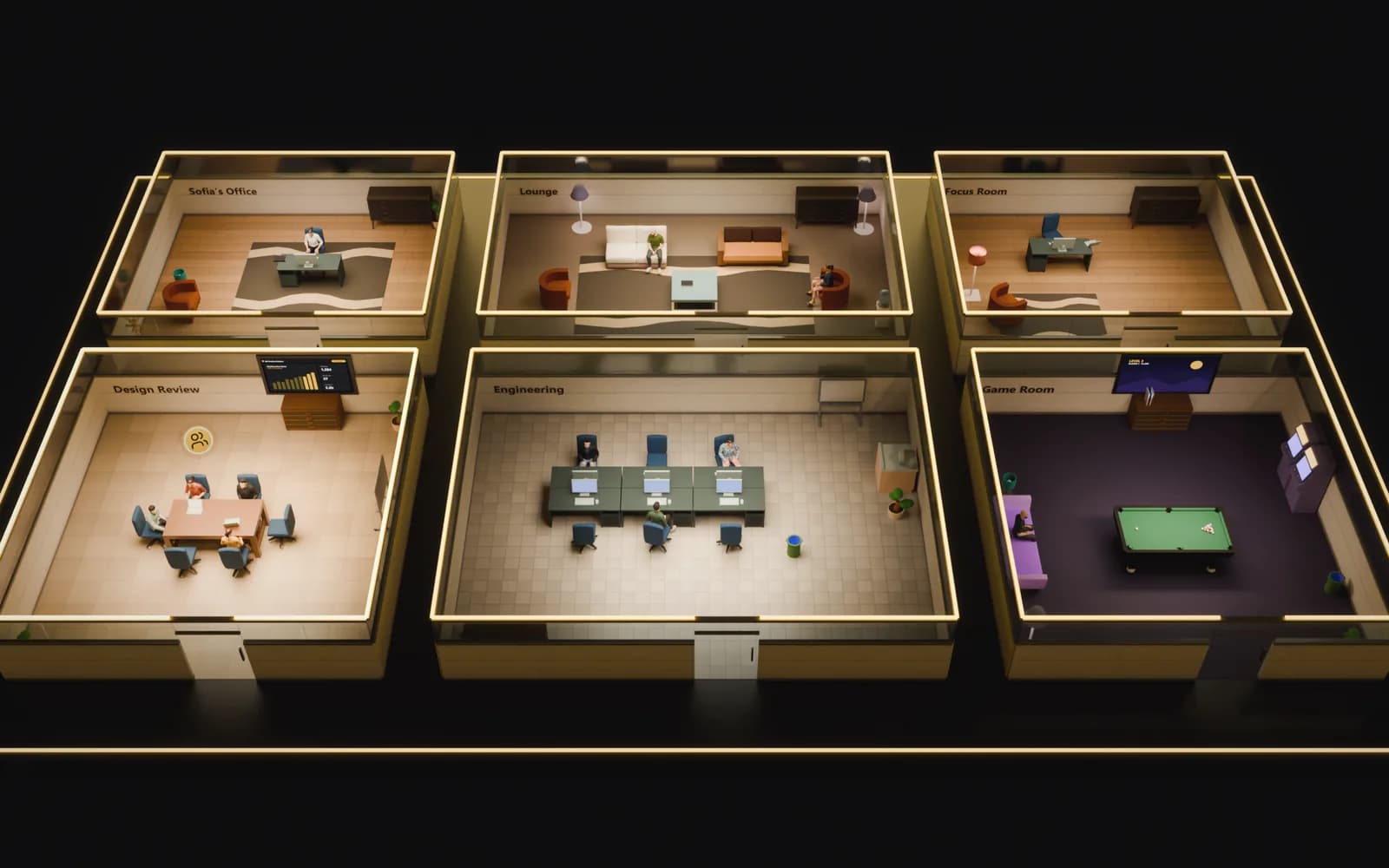
Your team sits in rooms on a floor plan, and the room you sit in is your audio and video call. No green-dot list, no "are you free?" pings. You can see who is around and just walk over.


- Meet
- Capture
- Act
Presence you can see
Replace the status list with a floor you can read
A column of green dots tells you someone is technically online. A floor tells you who is in a meeting, who is heads-down in their own office, and who is free. Presence becomes a place, the way it is in a real office.
- People in rooms instead of a roster of dots
- See a conversation forming before you interrupt it
- Status, availability and location at a glance
Seat = channel
The seat you take decides who you can hear
There is no "join channel" button anywhere. Taking a seat puts you in that room's call, muted, with your mic and camera yours to turn on. Moving seats is the whole interaction model.
- Every room is a call, and everyone arrives muted
- Walk between conversations instead of dialling into them
- Knock on a private room and wait at the door, hearing nothing, until someone lets you in
YMeetings on the floor
Talk, present and decide without leaving the building
When a conversation needs faces, turn your camera on and your tile appears for the room. Share a screen to the same people. No link, no lobby, no separate app.
- Video and screen share in every room
- No meeting links or waiting rooms
- Spontaneous huddles, because everyone is already here




Related
Works with the rest of the office
How is this different from a Slack status or a video grid?
Do I have to be on a call all day?
Can I self-host the virtual office?
Can we design our own floor plan?
Which plan includes the virtual office?
Give your team a place to be
Build a floor, take a seat, and let your team find each other again. It's free to start.