The signature floor
An office you move through, not a menu of rooms
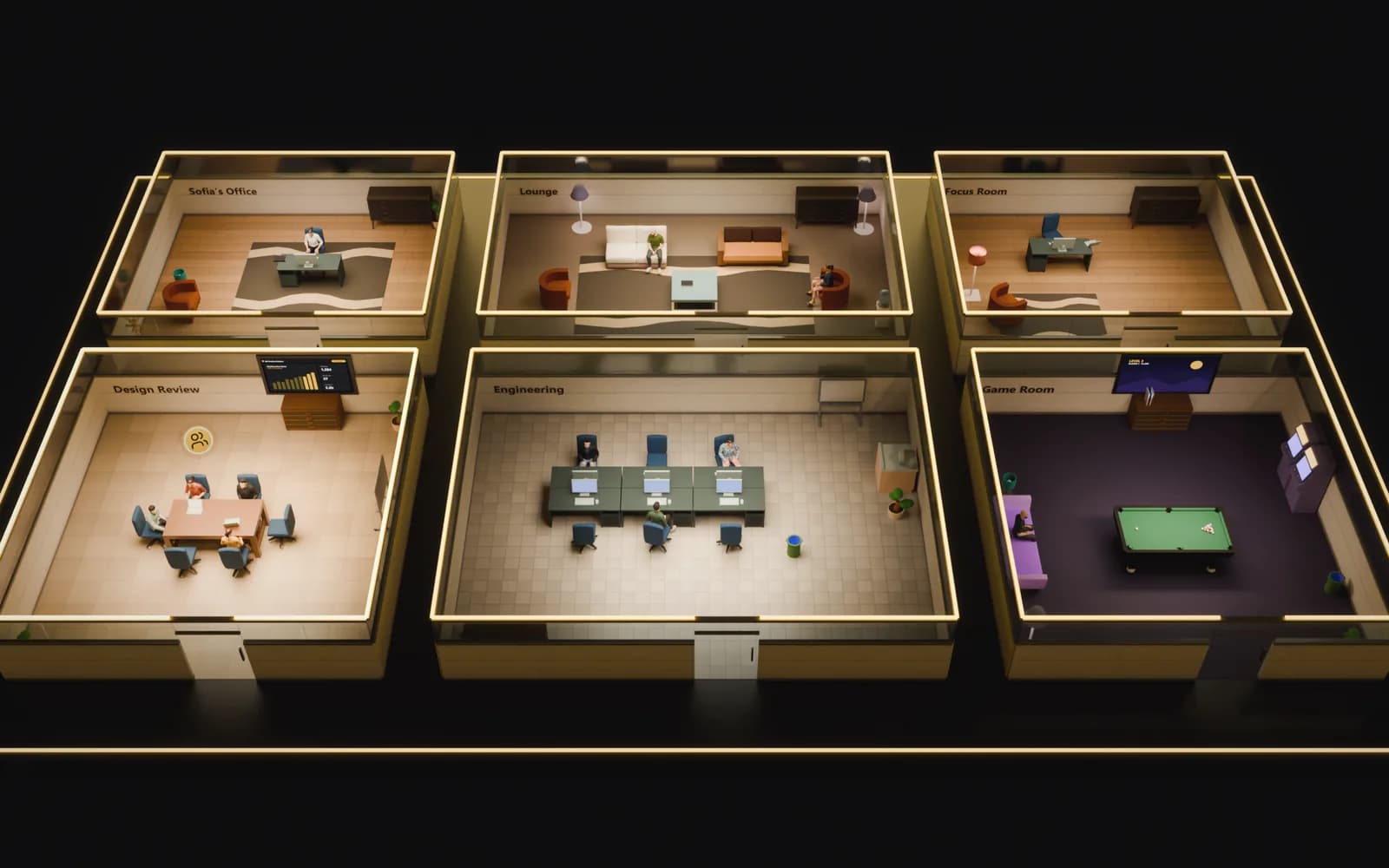
Walk through your office in 3D, glance at it from above in 2D, or read it as a wall of room cards. It is one floor with the same people on it, so you can switch views whenever you like.
- Meet
- Capture
- Act
Three views
Pick the view that suits you and your machine
The 3D view is the full effect: a lit office with name tags over everyone's head. The 2D view looks straight down at the same floor and runs well on modest laptops. The Web view drops the floor plan and shows each room as a card with the faces of the people in it.
- 3D, 2D and Web views of the same floor
- Your choice of view is remembered
- Walk into a room in one view and the others show you there


Built for big floors
Stays smooth when the floor gets large
The 2D view draws every piece of furniture in one batch from a single texture, so a large floor costs about the same to render as a small one, and zooming is a camera move rather than a redraw.
- Furniture drawn in one batch from one texture atlas
- Zoom without re-rendering the floor
- The Web view needs no 3D at all
Where you sit
Where you sit decides who you're with
Walk into a room and you are in its call, muted until you choose to talk. Walk out and you are not. The floor is not decoration: it is how you join and leave conversations.
- Every room is a call; the open floor is quiet
- Video tiles appear as people turn their cameras on
- Walk away to leave, no hang-up button required
YRelated
Works with the rest of the office
Is this a 3D game?
Will it run on an ordinary laptop?
Can we customise the floor layout?
Does the office work self-hosted?
Walk into your office
Build a floor, bring your team in, and see it the way that suits you. Free to start.